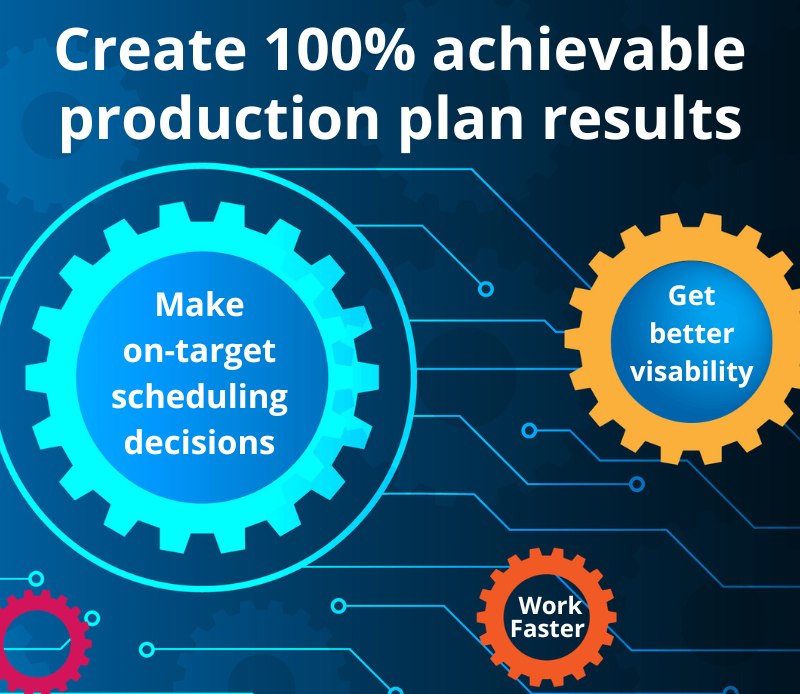
Production planning is never simple. Material shortages, priority shifts, capacity constraints, and customer changes can quickly turn your plan into a fire drill. The challenge is to create a schedule that reflects what is really happening on the shop floor—and gives your team time to respond before the problems grow into missed deliveries.
In this session, Olena Stepovyk walks through the fundamentals of effective production planning so you can make better scheduling decisions and stay ahead of potential problems. During the session, she covers:
Common challenges and why schedules become hard to manage
How better visibility helps you respond to shifting demand and constraints
Practical ways to build schedules that are easier to execute and more realistic
How customer feedback and real-world challenges drive the continuing development of our Production Planner
This webinar is designed for production planners, schedulers, supply-chain professionals, and QAD users who want a more practical approach to managing production.
We are using QAD Excelerator to update dates in Production Orders. How are 32 Soft Data Loaders different from QAD Excelerator?
We get asked this question quite often. We’ve actually published an article on the 32 Soft website that outlines the differences between Excelerator and Data Loader. It provides a detailed comparison from both technical and user perspectives. Since you’re already using Excelerator, I’ll set the technical differences and complexities of Excelerator aside and focus on the user experience.
1. First, you can do more with the Data Loader than Excelerator.
2. Data Loaders validate data before sending it to QAD and highlight errors that need correction. This is especially valuable when creating new records.
3. Data Loaders make data exchange between the QAD database and Excel more efficient. You’ll spend less time getting data from QAD and uploading it back after making changes.
4. With Data Loaders, you’ll use Excel as your QAD interface. There is no need to switch between QAD and Excel to download, modify, and upload data.
5. Data Loaders also give you direct access to relevant QAD reports in Excel, making it easier to review additional information while preparing data for upload.
6. Excelerator was not designed for routine day-to-day data management. It is primarily intended for bulk data upload. Data Loaders support both daily data maintenance and bulk upload activities.
You can find a more detailed comparison at https://www.32soft.com/blog/data-loaders-or-excelerator/.
Alternatively, you can request a free trial of one or several of our Data Loaders and compare them with Excelerator for yourself.
How does your tool do shop-floor scheduling? I did not see anything close to what we currently do. We need to be able to assign specific work orders to specific machines.
You’re right; I gave a very general overview of the Production Planner functionality to stay within the Webinar format and time constraints. I would be happy to schedule a detailed demo and walk you through its functionality.
Production Planner has a wide range of capabilities, so before each demo, we try to learn more about the customer’s specific requirements and challenges. This lets us focus on the areas of Production Planner the customer cares about most.
To answer your question. Production Planner uses work order routings defined QAD. When you set the Work Order due date, QAD calculates the start date and work center for each operation based on the Work Order routing.
The Production Planner then generates a Capacity Report showing which work centers, machines, and dates each operation should be assigned to meet the required due date.
The Production Planner relies on QAD routing logic when it calculates capacity by work center; it does not allow users to override or manually reassign operations to different work centers or machines. If routing details are incorrect, the changes must be made within QAD.
If you are looking for a pure shop-floor scheduling solution that allows planners to freely assign work orders to specific machines regardless of the routing logic in QAD, then a dedicated scheduling or shop-floor scheduling tool may be a better fit.
We are scheduling using production lines and unit-per-hour rates. Will we hit the same issue as you just described? Will we be able to assign production orders to specific production lines?
You definitely will be able to assign production orders to specific production lines.
Scheduling by production lines is different in QAD than scheduling by work centers. Both QAD and Production Planner give you more flexibility when working with production lines because you assign an entire work order to a production line rather than assigning individual operations within a work order to different work centers.
The Production Planning tool lets you view and compare production line capacity each day with the orders or quantities scheduled for that day. You can easily move orders between dates to balance workloads and adjust scheduled quantities as needed. It also supports automatic approval of planned orders when capacity is available.
During the webinar, I briefly showed the MPS (Master Production Schedule) report. This report has proven especially valuable for customers who have transitioned from Advanced Repetitive to Production Orders in QAD, as it provides a clear view of production requirements and available capacity.
We also have similar functionality for customers running older versions of QAD who continue to use Advanced Repetitive and its scheduling capabilities.
I would be happy to walk you through these features in more detail and show how they would apply to your specific production environment.
by Cathy Helmers | on 23rd July 2026 | in Blog, Webinars