Missing Connection Buttons in Data Loaders
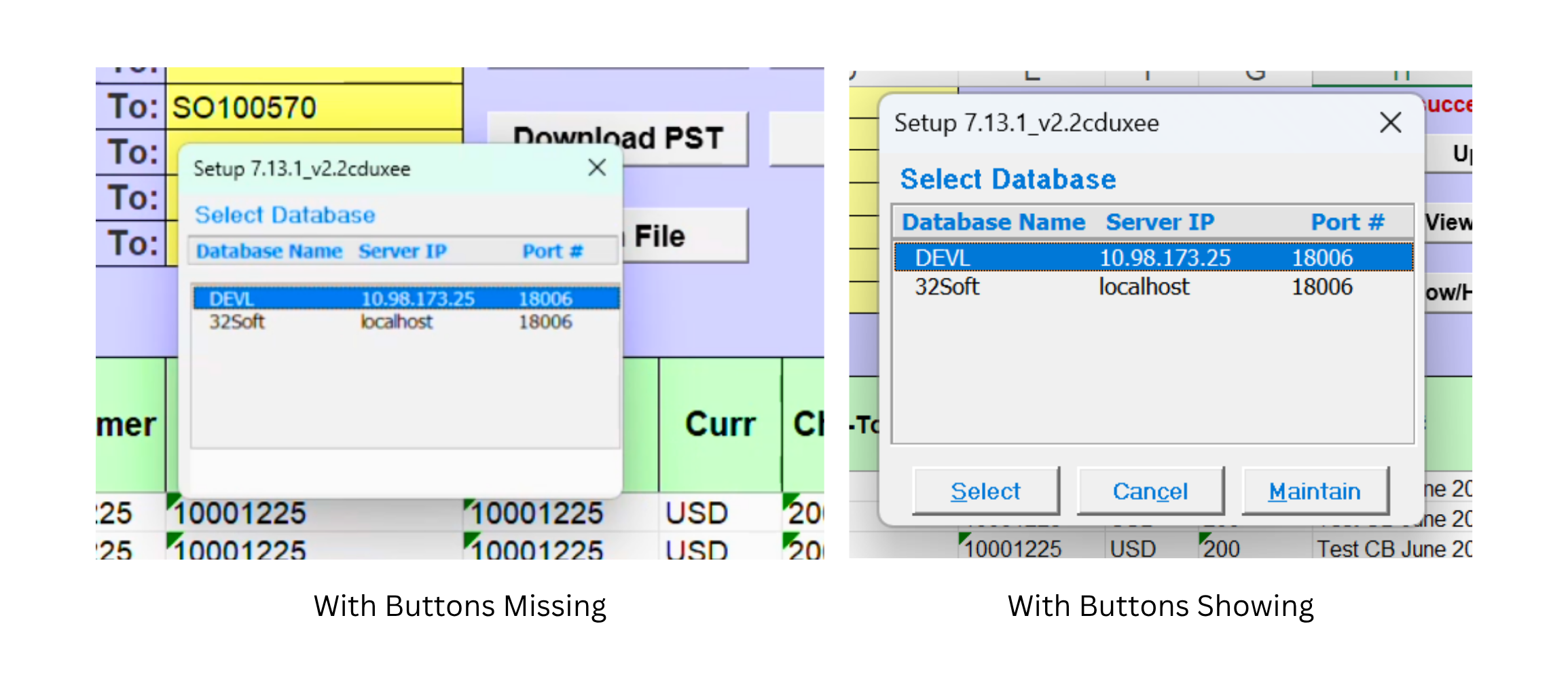
We’ve discovered a possible problem with pop-ups in our Data Loaders. The expected buttons, such asSelect, may be missing from the pop-up window. This can prevent users from choosing or managing the connection even though it is configured properly.
The issue is not related to the connection settings. It is caused by how Excel displays the pop-up at certain PC screen resolutions or display-scaling configurations.
Solution
Here’s a simple workaround:
- Move the connection pop-up window to a different position on the screen.
- If the buttons still do not appear, change the PC’s screen resolution and reopen the window.
- Once the pop-up is repositioned or the resolution is adjusted, the missing buttons should become visible. Unfortunately, this is an Excel display issue that cannot be resolved through application code.
Examples